Posts

Showing posts with the label project

My Game the Beta version
Image
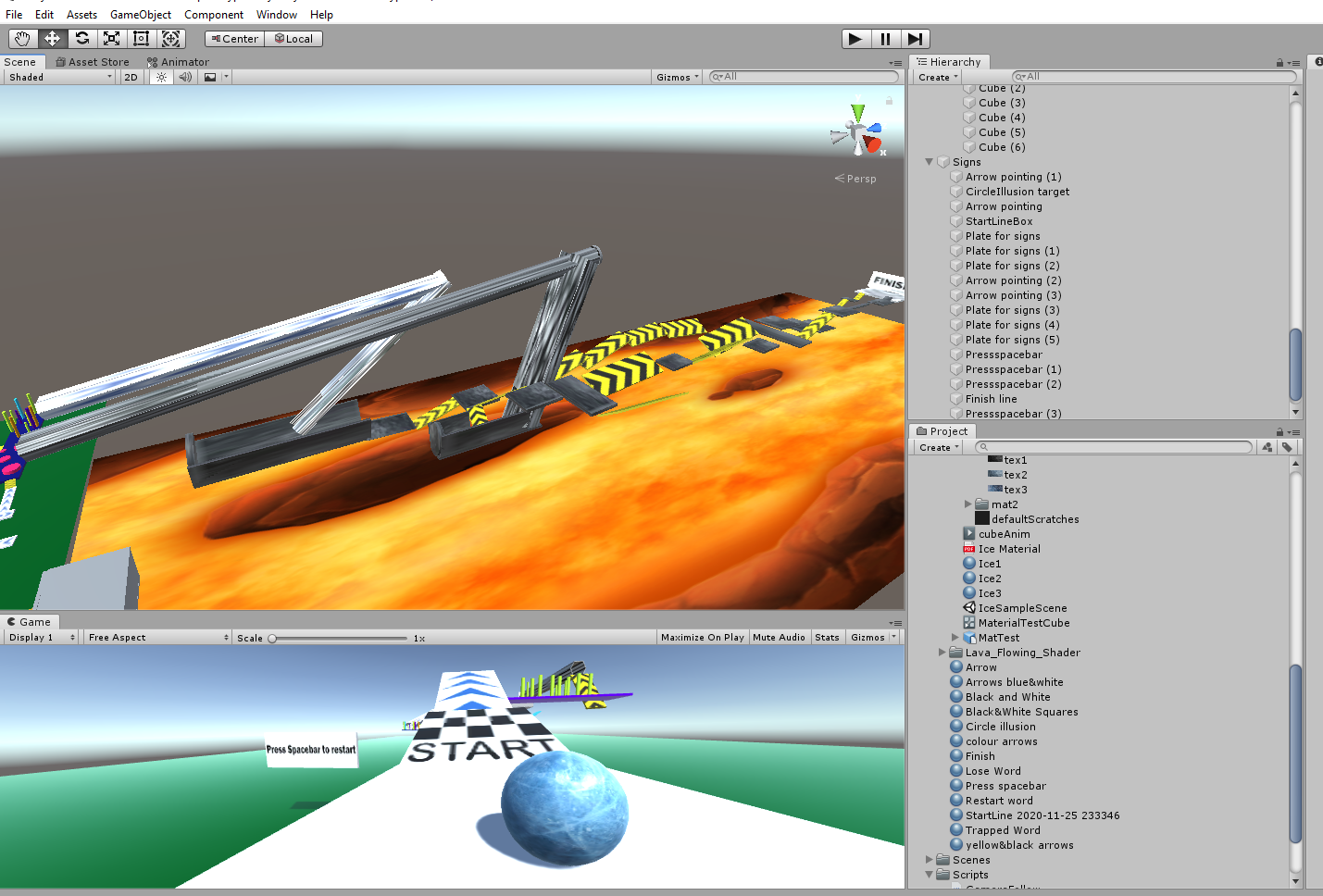
The Beta version of my Game Screenshot of my game My journey of game design has almost come to an end, it is amazing how much I have progressed and developed my game. Overall I think is coming out to be very successful I have fixed many bugs and issues that I happen to have in the alpha version. I have progressed with its development a lot and have fully finished some areas that I was lacking in my alpha version. One of my biggest achievement this week for this version was that I have fully completed building the whole path course and all the elements. All the obstacles are finished and any materials or colours that need to be added on were added successfully. I have tested the whole path of the game myself a few times to make sure it is fully accessible and playable. In order to give the players some choices, I have included some extra paths and shortcuts.   View of my Unity For this version, I have added in a mother plane under the first one to make one level with two parts ...
Alpha

Image
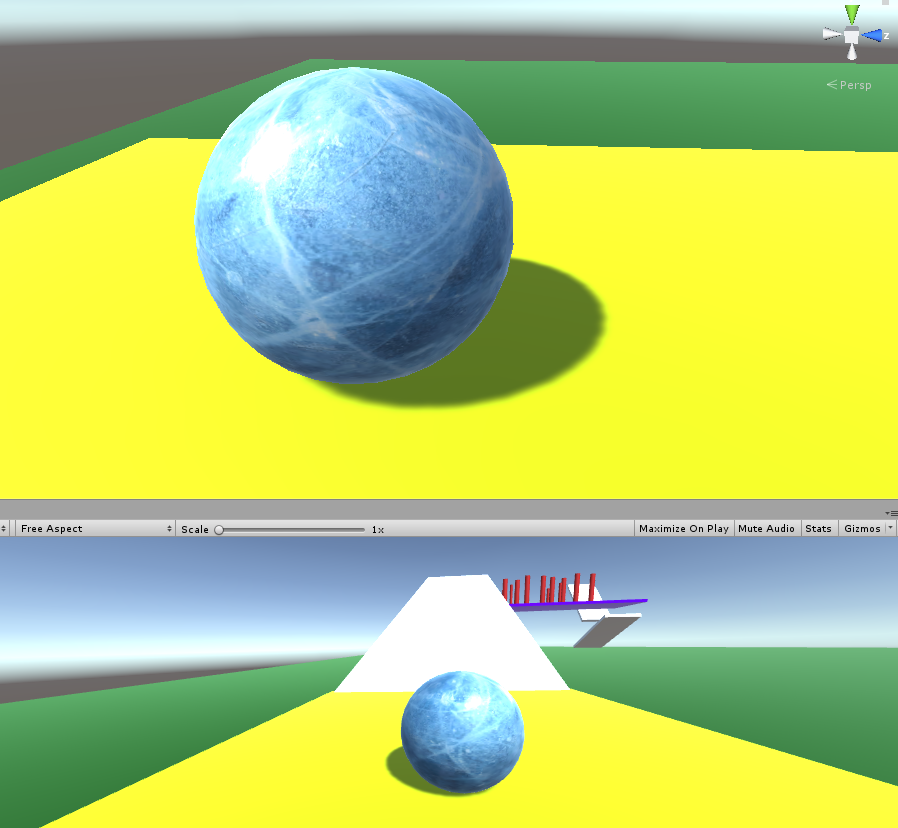
 It's Fun Screenshot of my Unity Project I have done a lot this week getting closer and closer to achieve my first game. I didn't think I will enjoy this so much, I don't know is it the fact that I can create and then interact with the objects, or is it the fact that it is my first time making a game and I'm just finding it interesting at the moment but I'm having lot's of fun making the whole course. To make it better for myself I have focussed a lot on coding for the first few weeks to get everything working first before I move on to the exciting things like making the obstacles. I am very pleased with how much of the code I have already done and it all seems to be working well. I have added in a restart button for the player to start the game over when he or she wishes to however, I have also added some coding for the ground that if the player falls and lands on the green flat area the game is automatically restarted. Therefore I think I might remove the self...

First Playable

Image
First Gameplay   Screenshot of my Unity This is getting better and better with every element added. I feel like this week I really progress with the work on my game and I'm moving forward. I really like how it is coming along and enjoy the little gameplay I can already get. I like how I can control what and how I want to make and create this project not having to follow a tutorial from step 1. It gives me a lot of freedom and allows me to be more creative. This week I have managed to fix the controls that I had a problem with last week. The ball was bouncing around and only the forward and backward movement worked. I am happy that I managed to fix those controls and make a proper, fully working script for the ball that now can move 360 degrees using the keyboard keys. Screenshot of my Unity As seen above I have done some experimenting to see what works and what I could add to my game to make it more fun, so far everything is working for me greatly and I am getting more excited abou...

My Game Prototype

Image
Making a Start Screen Shot of my game This week was my first time working on Unity on my own without following the video or having hints on how to make things work. I have begun to work on my own game this week, it will be a challenge to complete but so far I am not doing too bad. I am a little bit stressed with the coding and how successful I will be in bringing my whole idea to reality in Unity. I feel like I may not have the skills to achieve exactly what I want but I will give it my best shot. I started off by setting up my own project in Unity and played around to see what I know and get to explore Unity on my own a bit more. I have to be honest I was slightly blank at first because I had no assets or tutorial videos that I had to follow like we do every week, I got this huge freedom of doing in my own way and how I wanted. I made a sphere and other objects and then used the previous unity tutorials to see what I can do and what will work in my game. Using the tutorials from lesso...

Game Design Document

Image
  About my GDD Document Overview sketch of my game idea  Close up sketch of my game idea Link to me GDD  My GDD Document Dundoc I found the document fairly hard to start as I wasn't sure if I am putting in enough information and whether or not I lack a lot of content. I decided to try to make a game design document on Dundoc. It took some time to get to know the website but I managed to learn the basic steps very quickly. I like how Dundoc offers you two different templates that help you out to begin.  I have started some work on my Game Design document on Dundoc. I have set up my account and proceeded to work. To help visualize my game more and make it easier for myself to explain, I have drawn some game sketches. I have applied colour to some to show what colours I am hoping to use in the game. In the Dundoc, I picked the most important and obvious headings and in those heading, I have explained my game design and provided the sketches in the image section. I have ...

Game Vision Statement

Image
My Game Vision A quick sketch of my game idea After some brainstorming and researching, I have decided on my game idea and now can start to look into it more in depth. Although my idea is based on the games below and it will have the same controls and very alike gameplay, it won't be the same game as "Coin Rush" for example because I will be making my own version of the game. My main goal is to make the game more fun and interactive for the players, I want to add some adrenaline and rush to my own version of the game to make it more entertaining but not frustrating.  In my version the player will be a ball of ice and will have to complete the laid out course on a platform before the ball melts in order to complete the game. The player will have to balance the ball and hit certain objects to get through to the finish line, however the game will be over once the player drops the ball, hits an object that will make it crash or if the ball melts before reaching the finish lin...

Game Idea Research

Image
 Pick ONE Game Idea Thinking Creative Image Source It is very difficult when you have to pick one idea out of four and can be frustrated if there is two you really like but after having a read through my last blog post about my game design ideas I decided to go with my idea number 2. I was thinking a bit too much on which idea is my favourite rather than focussing on which idea I would be capable of doing and enjoy doing the most. I want to be able to make the game and don't want to go too hard on myself since it will be my first game ever made by myself. I figure this game idea will allow me to be creative and have fun at the same time. I had taken a look at some tutorials and felt the most comfortable with this game option. I was really thinking about picking my last game idea the Toast racing game but I'm not sure if I will be capable of creating it because it is too early to say after just a few Unity tutorials.  Based on: Ball Balance Coin Rush Ball 3D My game idea number...

Time for a Game Brainstorm

Image
 Let's get started! Brainstorming spider diagram Image source Idea 1: Online  Rubik's Cube My first idea for a game comes from my childhood rather than internet research. I used to simply call it "The Colour Blocks" but would like to change the name to something more interesting. It's a game similar to a Rubik's cube as you have to sort out each colour in its place. It's a fairly simple yet educational type of game in my opinion. I think it could be a nice game for anyone to play and have fun with it. It is easy to play and it's a good mind game that doesn't require any magnificent gaming skills or knowledge. I really enjoyed playing it when I was younger using colourful building blocks that I had. Since I have the opportunity to make my first game, I would like to consider this one and turn it into a video game. The game has a square platform and starts off with 4 rows that consist of 4 blocks except the last row which has only 3 blocks. Each row ...